Note Making (instead of Note Taking) Helps You Learn, Think, and Even Write

I often stumble onto ideas related to a project I’m working on (intentionally or by serendipity)… Other times I’m reading something and a really new idea pops into my head which could be a seed for a future project. You know as well as I that if we don’t jot down at least a couple of words those ideas are usually lost. To keep those notes from being lost in piles on our desks (or in our computers) it’s helpful to have a system.

Today I discovered a blog post called “On Rooted Productivity” and, since I’m working on a presentation on how to use a specific note taking system to increase productivity for a group of philosophers and ethicists, I knew this source might be helpful. 

So, I decided to write this post on how I take a new idea and put it into a Zettelkasten AKA “slip card” system AKA “smart note” system for current and/or future projects.

Step 1. Put the reference in Zotero. 

Because I know a) I’m interested in this idea and b) therefore, I may use it in the future, I know I’ll need to be able to find the reference easily. 

The first thing I do is create a reference in Zotero (which is an amazing, free reference manager. For articles and chapters that are in digital form, I make sure they are attached to the reference as a PDF (this is automatic most of the time in Zotero, but do it manually if Zotero doesn’t do it for you)

Step 2. Create the note. 

There is a lot written about the Zettelkasten system, and I encourage you to read more about it from the many sources available (There’s a list of references at the end of the embedded presentation at the bottom of this post)

Here are a few core concepts about this system that are important:

  • You are making a “card” (if you have a physical system) or a Google doc (in my system) that is an “atomic” idea. It’s a single idea, one intellectual “lego brick”… that can be combined with or used to reflect on other ideas. 
  • It is NOT just a bullet list or quotes from what you read. You need to take the idea and then describe – in your own words – why it’s important to you and where it led you in your thinking. The goal here is that you are creating the rough draft of a sentence or paragraph that can be copied and pasted into a future manuscript. 
  • As a technical note… I start by putting a horizontal line in the document.  Everything above it is my writing, everything below it is directly from the source or sources I’m using. 

Step 3. Put it next to the card/Google document that is most like it.

This is the heart of this system. Unlike a filing system, the idea here is to find the single idea already in your system most “related” to your new idea. Which leads to some important questions…

What if there isn’t an obvious choice for the note “most like it” or, because you are just starting out, there are only a few (unrelated) notes in your file?

I have a really broad interests and I love how they often are connected in ways I don’t expect.  When I started this process I realized I’d have to create a system for later notes. 

There are many different ways to approach how to number your cards so they will be next to the card most like them. For more info, check out this post by Chris Aldrich)

I came up with a system that works for me by using Wikipedia’s Outline of Academic Disciplines. I created a spreadsheet to organize a 4 digit numbering system for those “first” notes.

Importantly, though, I only use this system if I’m not able to easily find a related note already in my file. Which leads to the next obvious question…

How do you find the note “most like” the note you are working on? 

  1. I start by using a set of keywords to search my notes, looking for the one that is most related. 
  2. If that fails, I find the topic that is closest to the note in my spreadsheet and create that “first” note.

For example, I used “productivity” and “meaningful work” as keywords to search for the note most like my note on “rooted productivity”.

After this search, the note I thought was most like it was this one…

To make sure these two notes end up next to each other, I changed the name of the note on Rooted Productivity to 2754/1a Rooted Productivity so it would be “filed” next to 2754/1 Meaningful work vs. productivity

Step 4. Create links between your new note and other notes in your drive. 

This is not about “related” like the first connection you made. This step is about creative thinking and links that will lead you to connections that are not obvious. 

(BTW… Make sure when you put the link in your new note that you make it a two way link. In other words, put links in both notes.)

Step 5. This is where it matters… using this system as a thinking and writing partner

I suspect you can see how this process helps with creative thinking, but this this quote from Soren Ahrens will help if you are confused: “Go through the notes you made …(ideally once a day and before you forget what you meant) and think about how they relate to what is relevant for your own research, thinking or interests. This can soon be done by looking into the slip-box – it only contains what interests you anyway. The idea is not to collect, but to develop ideas, arguments and discussions. Does the new information contradict, correct, support or add to what you already have (in the slip-box or on your mind)? Can you combine ideas to generate something new? What questions are triggered by them?” (Ahrens, 2017)

As for writing… I suspect you have a good idea how this system could help, but start by using it to link ideas and explore things that are important to you. When you get ready to write, I recommend one of these two books to help! 

In case you want a little more info.. here is the presentation I gave to my colleagues in the Center for Medical Ethics and Health Policy at Baylor College of Medicine.

Loader Loading…
EAD Logo Taking too long?

Reload Reload document
| Open Open in new tab

Learning Medicine #SmartNotes

What if I told you there’s a system that makes it easy to remember the things that you need to remember for exams, but also creates links that make it easy to study and understand the network of knowledge that you really need to learn to heal? 

And what if you could start using this system beginning on the first day of medical school…or at the beginning of your PGY2 year… or wherever you are on this journey now? 

Here’s how:

Step 1. Create a folder in Google Drive*

Step 2. Take notes. About everything.  

Step 3. Put the notes in your digital folder, filed by date and time, identified by hashtags and keywords. 

Step 4. Synthesize, summarize, and link. 

Photo credit

Step 1: Create a folder in Google Drive*

Don’t panic. Yes… just one folder. 

Mine is labeled “card file”. You can always rename it. Maybe start with “My digital brain”?

If you just can’t stand it, you can create sub folders based on an anatomic filing system (e.g. Appendix, Colon, Heart, etc) but trust me – no sub-sub folders! 

*I like Google Drive because it’s very flexible and you can access it from any computer and your phone. There are other ways to store digital data that can work as well, like Evernote, OneNote, etc. 

Step 2: Take notes. About everything.  

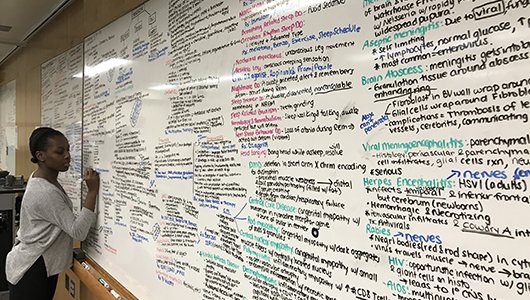
Keep a notebook in your pocket, use paper out of the printer, use a white board, or dictate directly into Google drive… but just take notes! 

This practice is a leap for most of us, but it not only leads to phenomenal learning, it fundamentally transforms how you interact with your day. There is power in a practice that makes you more present in your day. Every encounter, every lecture, every article you read becomes a potential adventure, a source for new insight and growth. 

There are only two rules

Rule 1: One concept per note. 

Rule 2: Write the note only one time  – don’t rewrite or retype notes. (If its’ a paper note, take a photo, or create a pdf to file in your google drive.)

What kind of notes will go into this system? 

Lectures. You know how to do this from other classes! Just because we call it “Grand Rounds” or “Path-Rad conference” doesn’t mean it’s not a class. Take notes! 

Notes from Reading. Textbook chapters, articles, handouts… 

SOP (Standard Operating Procedure). This one is key if you are in a procedural specialty. Keep a single “note” for each procedure and update it with new information as you scrub with new attendings. Put in links to good videos, photos from textbooks and anatomy books. Anything that will help you review what you know and have learned before you do the procedure again. 

Milestones. The first time you….listened to a murmur, talked to a patient about their prognosis, did a Whipple.

Questions, thoughts… “Why isn’t there a way to diagnose malrotation that needs surgery (vs.nonrotation) with diagnostic imaging?” 

What you learned from patients. Make it your goal to learn something from every patient you take care of. Write it down. Make sure it’s HIPAA compliant – no patient identifiers that someone else could decipher. 

Sounds. Yes, you can digitally store recordings! 

Summary Notes. One page summaries of complex ideas

Unanswered questions. Ideas for possible publications, future investigations, etc.

Step 3. Put the notes in your digital folder, filed by date and time, identified by hashtags and keywords. 

File the notes by date and time + description e.g. 2022-07-18 1645 Creating a filing system for studying medicine.

Why?

Imagine… It’s the last year of your residency, it’s 2am, and you are admitting a patient with Hemophilia A who needs emergency surgery. 

You open your phone, go to your folder and search for #Hemophilia… and you find these notes: 

First year lecture on coagulation

Second year lecture on disorders of coagulation

Second year lecture on the pharmacology of factors given for the different types of hemophilia

Your summary notes on coagulation, coagulation disorders, and the meds used to treat them

Notes from a review article on caring for patients with hemophilia

Notes about that really cute 6 year old on your pediatric rotation who had hemarthrosis

Notes from Grand Rounds on your medicine rotation about disorders of coagulation

A lecture during your surgery rotation on pre-op preparation of patients with clotting disorders. 

Notes from Sabiston’s Textbook of surgery on patients with Hemophilia

What you learned taking care of the diabetic hemophiliac who needed an amputation when you were an intern

Last years’ conference with the visiting professor who was an expert on Hemophilia B 

Step 4. Synthesize, summarize, and link. 

There are so many details in medicine that we often lose track of the big picture. That takes thinking, creating one page summaries of complex topics, and noticing connections.

Maybe it would be easier to show you rather than tell you. Let’s say you are in a lecture about how to read a chest x-ray. In your notebook (or on your computer) you are taking notes… lots of notes… how to tell what’s a pneumonia vs atelectasis, what different lung tumors look like, how to tell if the mediastinum is too wide. As a result, 2 years from now when you see a patient with a lung mass, you will be able to search your drive for “lung cancer” and these specific notes will come up. 

But as you sit and think about this lecture, you’ll realize that in addition to the details, there were more general concepts that were important, too.  For example, how important it is to systematically review every diagnostic image so you don’t miss the lytic lesion in the bone that was behind the big mass in the chest. (Link to my favorite study describing how this happens)

So you create a digital note that describes, in your words, how important it is to have a system to look at images. Which makes you remember that this is very similar to how we always follow a system to do a history and physical. So you search in your drive for the card you made about how to do an H&P and you link them, using the “insert link” command.  And, as you look at your H&P card, you notice that you had already linked it to cards you made about Basic Life Support (BLS) and ACLS (Advanced Cardiac Life Support), two certificates you were required to obtain, both based on a system to not miss important steps in resuscitating patients. And suddenly you are interested in why systems like this make it so much easier, so you do a quick search and find a fascinating article on memory and learning (as opposed to memorizing). 

This post represents a modification of the amazing Smart Notes system described by Sönke Ahrens in his book How to Take Smart Notes: One Simple Technique to Boost Writing, Learning and Thinking. I highly recommend it, especially if you are considering an academic career!

Other things I’ve written about studying in medical school and residency: 

Studying for the In-Training Exam

Study Tips for First Year Medical Students

How to Succeed in Clinical Rotations (and residency, too)  

Top Ten Tips on Starting Medical School

How to Ace the NBME Shelf Exams, In-Training Exams and Your Boards

Taking Notes

There was a really interesting article in the New York Times this morning on new technologies that help with taking notes.  The focus of the article was Livescribe, a pen that records what is being said at the time it is being used to write (so you can play back what you missed later).

Medical school is a lot different from other educational experiences.  Most of the time, you will be given notes for your classes (either powerpoint slide handouts or a syllabus).  So, it’s not so much about taking notes, it’s about how you organize that information, annotate it and then review it.   I’ve already covered some general advice about taking notes in basic sciences, during clinical rotations and during your residency, but I didn’t really go into how to organize that information.  After reading the article this morning, it struck me that there really might be some new technology out there which might make this task a little easier  In the spirit of full disclosure:  I haven’t used any of these, so this shouldn’t be taken as an endorsement!

Perfectnotes.  This is software that, much like the pen developed by Livescribe, creates an audio recording of a lecture while you are taking notes on the computer.  It creates a timeline that links your notes and the audio recording so you can go to specific points in the lecture, rather than having to listen to the entire lecture.

Notescribe.  This is a desktop and/or online note taking software.  It looks well designed and has the benefit of being able to search your notes by category, key words, sources, etc.  It also has the ability to share notes between people, which would be very helpful for study groups.   The online version gives you access to your notes from any computer, which would be very handy on clinical rotations or as a resident.

OneNote.  This is a Microsoft product for organizing notes.  If you take notes during class from PowerPoint slides provided by the professor, this program can link your notes to the source document. You can share your notes or create “common” notebooks using the OneNote web app

Evernote This is a great program for organizing your peripheral brain for the clinics, but probably not as powerful for taking and using study notes. For the Mac, there are several other options similar to Evernote – for example:  Circusponies NoteBook, Aquaminds Note Taker, Soho notes,  and Yojimbo

From a forum on studentdoctor.net I found this advice: “The cheapest and easiest thing is to print powerpoints to pdf, then use the annotate tool in preview.app to make notes directly on the slide. From there, you can drag and drop the pdf into iTunes, and manage all of your pdf’s in there (just like music files).”

Any and all comments or suggestions are welcome either by commenting below or sending me a message!